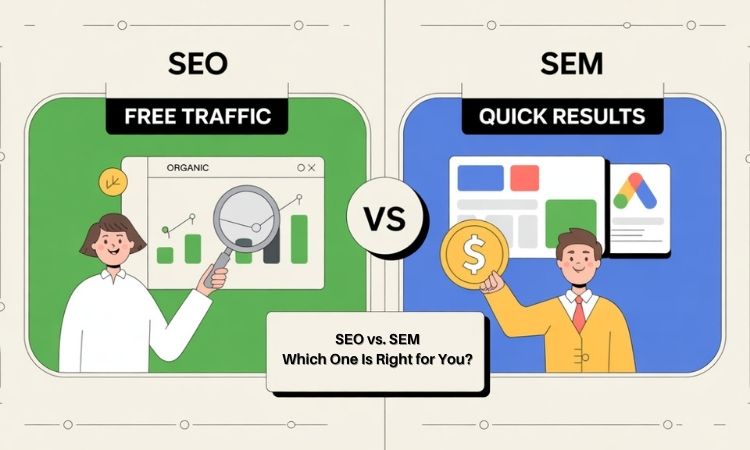
SEO vs. SEM: What’s the Difference and Which One Is Right for You?
Imagine two business owners, both starting an e-commerce website, trying to appear in the first position on Google. One spends hours writing blog posts and optimizing their site – a classic SEO approach – while the other spends a budget on Google Ads to get instant visibility. Both want more eyes on their business, but they’re playing different games. Who will get the most eyeballs? The answer is not that simple. We will have to factor in multiple elements of digital marketing, including keywords, website optimization, bidding, ad strategy, etc. Therefore, in this blog, we will compare SEO (Search Engine Optimization) and SEM (Search Engine Marketing), side by side, and help you decide when to use each strategy. Whether you’re a business owner, marketing professional, blogger, or an entrepreneur investing in online visibility, understanding “SEO vs SEM” and understanding the difference between SEO and SEM is crucial for your digital marketing strategy. What Is SEO (Search Engine Optimization) SEO is all about getting organic traffic to your website or blog without paying for clicks. Simply put, SEO involves optimizing your website to rank higher in search engine results pages (SERPs). In practice, that means making your site relevant and authoritative for the queries your customers use.However, not only user queries, but you will have to focus on website optimization, including on-page/off-page optimization, technical SEO, etc., to make your website or blog ready to rank on search engine result pages (SERPs). Now, let’s unfold each aspect of SEO to better understand how to rank on search results. Keyword Research Keyword research helps you understand what your users are searching for related to your products or services. For example, if you are selling ‘customized jeans for men’, then your users may search terms like ‘customized jeans’, ‘jeans for men’, ‘jeans under 1000 for men’, etc. Therefore, it’s always better to know what your users might be searching as it makes it easier for you to work on those keywords and try to rank them on SERPs to earn organic traffic.To conduct this keyword research, there are multiple keyword research tools available – free and paid – that you can use to start with.To start your keyword research, just enter a basic term related to your business or website. For example, if you provide digital marketing services to emerging startups in Mumbai, then you may want to enter the keywords ‘digital marketing services in Mumbai’ or ‘digital marketing agencies in Mumbai’, or ‘Best digital marketing consultant in Mumbai’. Then you need to look for: Monthly search volume (how many times users are searching for this particular keyword in a month) Keyword difficulty (how hard it is for you to rank for this particular keyword on SERPs) Search intent (what users want to do by searching this keyword) These data points will further help you decide whether you want to work on that particular keyword to rank or not. On‑Page and Off‑Page SEO On‑Page SEO covers all optimizations you make on your website. The following are some of the activities you need to do for on-page optimization. H1/Title tag: Use your primary keyword in title tag. Headers: H2 to H6 headings helps you organize your content and structure it properly. Readability: Use tables, bullet points, and clear headings. Image Optimization: Use alt tags and file names properly. Off‑Page SEO refers to efforts outside your site that build authority: Brand mentions: Create high-quality content consistently to earn backlinks from other high DA websites and brand mentions organically. You can also purchase backlinks. Local listings: Use local directories and forums to mention your brand and website. Reviews: Collect genuine customer reviews and respond to them properly to create a positive dialogue. Social media: Use social media platforms to build a genuine presence and share original content. Technical SEO Technical SEO ensures search engines can crawl, index, and render your pages smoothly. The following are some of the key tasks for technical SEO. Improving page load speed (minify CSS/JS, use a CDN). Implementing HTTPS for security. Creating an XML sitemap and a clean URL structure. Fixing broken links and proper redirect rules. Ensuring a mobile‑friendly, responsive design. Importance of Content and Backlinking Google has recently rolled out the March 2025 core update, which aims to improve the quality and relevance of search results. This means Google, being the dominant player in the search engine market share, Google is focusing more on content quality and its relevance to the users’ intent.On the other hand, backlinks – your website’s link on other authoritative websites on the internet – remain one of the strongest ranking factors: each high‑authority link acts like a “vote” for your content’s relevance. Tools Used For SEO The following three SEO tools are the utmost requirements for SEO experts to conduct daily tasks of ranking any website on SERPs. GA4: Learn more about your website’s key metrics like CTA, CPC, etc. Google Search Console: spot indexing errors and view actual search queries. Ahrefs / SEMrush: in‑depth keyword research, backlink audits, and competitor analysis. PageSpeed Insights / GTmetrix: identify performance bottlenecks for technical fixes. Investing in SEO means up‑front content creation and optimization work, but once pages rank, you earn “free” traffic indefinitely. Over time, organic visitors trust your brand more than paid ads, improving both click‑through and conversion rates, making SEO one of the most cost‑effective channels in the long run. What Is SEM? (Search Engine Marketing) SEM (often used interchangeably with “paid search”) involves paying for ad placement in search engine results. You bid on keywords; if your bid (and ad quality) ranks high enough, your ad appears above or beside the organic listings. Let’s decode the PPC model and try to understand each aspect of SEM in detail.Decoding the PPC Model 1. Keyword Research An SEM campaign always begins with proper keyword research, Just like it does in SEO. Firstly, you need to identify the exact search terms or keywords your target audience use when they search for your website or related products/services.
SEO vs. SEM: What’s the Difference and Which One Is Right for You? Read More »