







You write a great post. You hit publish. And then… nothing. No traffic, no rankings, no readers. Meanwhile, a competitor with “average” content sits comfortably on page one. Sound familiar?
Here’s the truth most people don’t want to hear: Google doesn’t rank effort — it ranks relevance, structure, and trust. Publishing and hoping isn’t a strategy. It’s a guess.
This guide breaks that cycle. It’s a complete, no-fluff walkthrough of how blogs actually rank on Google in today’s search landscape — not recycled “write good content” advice, but the real mechanics behind it. By the end, you’ll know:
- Why some blogs rank on page one while others vanish past page 3
- What Google’s E-E-A-T signals actually look for — and how to build them
- How to pick keywords that bring real traffic, not just search volume
- How to structure blogs that keep readers scrolling (and Google noticing)
- Why your existing posts might be underperforming — and the fixes that work
- The on-page, technical, and off-page strategies top-ranking sites quietly rely on
- Practical, apply-today steps to start moving the needle
No theory for theory’s sake. Just the depth and clarity most “how to rank on Google” guides skip. Let’s get into it.
Table of Contents
ToggleHow to Get Your Blog to Rank Higher on Google - Complete Checklist
This complete checklist breaks down everything you need to optimise your blog for higher Google rankings, from keywords to structure, content quality, and technical SEO.
1. Start With Search Intent: Understand What People Actually Want
Before you write even a single line, you need to understand what the user truly wants when they type a keyword into Google. This is called search intent, the purpose behind the search. Are they looking to learn something? Compare products? Solve a problem? Buy a specific item? Google ranks content that matches this intent most accurately.
When your blog aligns with what the user expects, they stay longer, engage more, and trust your content, all of which signal quality to Google.
Here’s how to identify and match the right intent:
- Use tools like Google Keyword Planner, Ahrefs, Ubersuggest (or free ones) to research keywords and search volume.
- Focus on long-tail keywords, longer, more specific phrases that match real user intent. Eg. instead of “hair extensions”, use “best human hair extensions in India for thin hair”. That helps you reach users who know what they want.
- While searching your chosen keyword on Google, analyze the top 5-10 results, what kind of content ranks (how-to guides, list posts, reviews, FAQs)? That tells you what format Google thinks matches the intent.
- Ask yourself, is the user looking for information, product comparison, buying guidance, entertainment, or DIY steps? Your content should directly meet that need.
Why this matters: Content that matches search intent reduces bounce rate, users stay longer. That signals quality to Google.
2. Build a Comprehensive Outline Before Writing
A strong outline is the backbone of a high-ranking blog. It keeps your content organized, helps you cover the topic in-depth, and ensures you don’t add unnecessary fluff. More importantly, Google prefers well-structured, logically arranged articles because they improve user experience and make your content easier to understand.
Here’s how to create a powerful blog outline, with practical keyword-selection suggestions
(a) Choose Your Primary Keyword + LSI Keywords (With Suggestions)
Pick one main keyword and then select 2–4 supporting (LSI/secondary) keywords to strengthen your topic relevance.
For example:
If your main keyword is “how to rank a blog”, use LSI keywords like:
- blog ranking tips
- improve blog SEO
- how to get higher
- Google rankings
- on-page SEO checklist
These help Google understand the full context of your article.
Also Read: The Ultimate Guide to Keywords Optimization
(b) Plan Your Subtopics and Subheadings (H2/H3)
Use formats like:
- “What is blog ranking?”
- “Why ranking matters for bloggers”
- “How to rank blog step-by-step”
- “Common ranking mistakes beginners make”
- “Pro tips to rank faster”
- “FAQs on how to rank blog”
(c) Make Your Content Scannable
To keep users engaged, make sure your article is easy to scan.
Use:
- Bullet points Numbered lists
- Short 2–3 line paragraphs
- Clear H2/H3 headings
- Highlighted key phrases
Suggestion: For blogs on SEO topics like how to rank blog, visual clarity is crucial because readers prefer quick, actionable points.
(d) Add a Table of Contents for Long Posts
A table of contents improves navigation and helps Google understand your structure. If your guide is 1,800–2,500+ words (which is ideal for SEO topics), a TOC is highly recommended.
(e) Consider a Pillar Post Structure
Create a pillar article, a detailed, in-depth guide about your main keyword. For example, if your pillar post is “How to Rank Blog: Complete Guide”
Your supporting posts can be:
- Keyword research process
- On-page SEO best practices
- How backlinks help ranking
- Content update strategy
- Technical SEO basics
This topic cluster boosts your authority and improves ranking across multiple pages.
3. Write High-Quality, User-First & Value-Driven Content
If you truly want to understand how to rank blog on Google, this is the most important step. Google always prioritises helpful, meaningful, user-first content, not keyword stuffing, not fluff, not robotic text. Your goal is simple, create content that answers real questions better than anyone else.
Here’s how to do it:
(i) Answer Real User Questions: Don’t write content just to fill space. Every section should give clear, actionable value.
Example: If a user searches how to rank blog, they want steps like keyword research, on-page SEO, internal links, backlinks, not a long story about SEO history.
(ii) Provide Depth — Not Surface-Level Content: Google rewards in-depth, detailed content because it shows expertise and helps the user more.
(iii) Make the Content Visually Easy to Read: Your writing should feel light, smooth, and easy on the eyes. Instead of a 7-line paragraph, break it into 2–3 lines. This increases readability and reduces bounce rate.
Use:
- Short paragraphs
- Simple sentences
- Active voice
- Bullet points
- Transition words (however, moreover, in addition, meanwhile)
(iv) Add Multimedia for Better Engagement: Images, infographics, perhaps video or diagrams, helps readability and keeps users engaged longer.
(v) Keep the Tone Human, Natural & Relatable: Avoid robotic phrases or over-formal sentences. Write like you’re speaking to the reader.
4. Smart Keyword Placement & On-Page SEO
Even the best-written blog won’t rank if Google can’t understand what the page is about. That’s where on-page SEO comes in. It helps search engines read your content clearly and match it with the right searches, especially for keywords like how to rank blog and similar queries.
Here’s how to optimise every essential element:
(a) Title & Meta Description
Your title is the first signal Google checks, and the first thing users see.
- Place your main keyword (or a close variation) near the beginning of your title.
Example: “How to Rank Blog: Step-by-Step Guide” - Keep the title within 55–60 characters so it displays fully on search results.
- Write a compelling meta description (within 150–160 characters). Include the main keyword naturally and highlight the value.
(b) URL & Slug
Your URL should be simple, clean, and keyword-focused.
- Avoid random numbers, dates, or unnecessary words.
- Use a short, descriptive slug.
Example:
- /how-to-rank-your-blog-on-google-in-2025-complete-seo-guide
- /how-to-rank-blog
(c) Headings & Content Structure
Google understands your content through headings, so structure matters.
- Use H1 only for the main title (most CMS platforms do this automatically).
- Use H2/H3/H4 for logical sections and place your primary or LSI keywords naturally.
- Avoid keyword stuffing; focus on clarity and flow.
When content is scannable, users stay longer → better engagement → stronger SEO.
(d) Multimedia & Images
Visuals help break text, simplify complex ideas, and increase on-page time.
- Add images, screenshots, illustrations, infographics, or diagrams wherever they help.
- Optimise image size for fast loading (slow pages rank lower).
Set descriptive alt-text that explains what the image shows and, where relevant, includes your keyword.
5. Technical SEO & User Experience (UX) Matters Too
If you want to learn how to rank blog effectively, you must go beyond writing good content. Google also evaluates how your website performs, how fast it loads, how secure it is, and whether users enjoy browsing it.
In simple words: Good Content + Good SEO + Good UX = Higher Rankings
Here are the technical factors you can’t ignore:
(a) Mobile-First & Responsive Design
Most users browse on mobile. Google also uses mobile-first indexing, which means your mobile version is what Google primarily evaluates.
- Insure your layout works smoothly on all devices
- Avoid overlapping text, tiny fonts, or misaligned images
- Test your blog on different screen sizes
(b) Page Speed & Performance
A slow website ruins user experience and kills rankings. Improve speed by, compressing large images, enabling browser caching, using a fast hosting provider, minifying CSS, javascript, HTML, using a CDN if possible
Example: If your page takes more than3 seconds to load, visitors may leave before reading your content, even if it’s high quality.
(c) HTTPS / Website Security
Google prefers secure websites. Using HTTPS is no longer optional, it’s a ranking signal.
(d) Site Structure, Internal Linking & Topical Architecture
A well-organised site helps Google understand your expertise and how your content connects.
(e) Schema / Structured Data (Optional but Powerful)
Schema helps search engines interpret your content more precisely. Useful types, FAQ Schema, Article Schema, How-To Schema, Breadcrumb Schema.
These can lead to rich snippets, which increase visibility and improve click-through rate.
6. Build Authority - Backlinks & External Signals
Backlinks act like votes of trust for your blog. When high-quality websites link to you, Google sees your content as credible, authoritative, and worth ranking higher.
Ways to build backlinks and authority:
- Guest posting on other trusted blogs in your niche. Include a link back to your relevant article.
- Create “link-worthy” content, ultimate guides, original research, data-driven posts, infographics, content that others naturally want to link to.
- Use contextual, relevant links (not random). Focus on linking from sites that are related to your topic, have good authority and are trusted by users.
- Avoid shady link-building (link farms, low-quality directories, paid spam links), these can hurt you more than help.
- Promote your content to encourage natural sharing, sometimes good backlinks come organically via social shares, forums, niche communities.
7. Maintain & Refresh Your Content - Don’t “Publish and Forget”
Publishing your blog is only the first step, keeping it fresh is what helps it stay visible on Google.
- Regularly update old blog posts: refresh data/statistics, add new insights, update for latest trends, this signals freshness to Google.
- Add new FAQs or sections if readers’ needs evolve (or if you see questions in comments/social). That can capture new search queries.
- Monitor performance metrics: page views, bounce rate, time on page, click-through rate (CTR), see which posts perform well and which need improvement.
- Use internal linking when you create new content, linking new posts to relevant old ones gives them visibility and spreads link equity.
8. Monitor, Analyse and Improve
You must keep track of how your content is doing, what’s working and what’s not, then iterate.
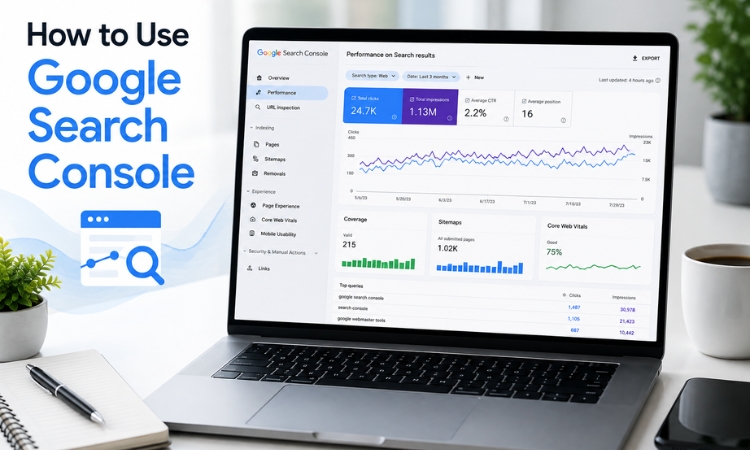
- Use tools like Google Search Console to check which keywords bring traffic, what pages are indexed, crawl errors, performance issues.
- Analyze metrics (bounce rate, average time on page, CTR, exit rate) — if users leave quickly, content may not match intent or readability might be poor.
- Keep an eye on competitor content — new content, better info — update your posts if you find gaps or outdated info.
- Keep building — new posts, more backlinks, content clusters — SEO compounds over time.
Conclusion
Ranking a blog on Google isn’t about tricks, shortcuts, or hoping the algorithm will magically pick you. It’s a system, and now you have the complete system in your hands. From understanding search intent, choosing the right keywords, building a solid outline, and writing high-quality content, to mastering on-page SEO, improving technical performance, building authority, and updating content, every step matters if you want long-term, stable rankings.
Most bloggers only focus on publishing new articles, but the ones who win understand the full picture: Strategy + Structure + User Value + Technical Excellence + Consistency = Rankings.
Everything in this guide comes directly from my real-world experience as an SEO expert – strategies I personally use to help blogs climb from page 5 to page 1. Apply these steps, even partially, and your blog will already be ahead of most creators who still publish without a proper SEO plan.
